

|
CAO/Clerk |
613-628-3101 ext 222 |
|
Treasurer/Deputy CAO |
613-628-3101 ext 225 |
|
Planning & Licencing Officer |
613-628-3101 ext 226 |
|
Accounting Clerk |
613-628-3101 ext 223 |
|
Community Development & Administration Assistant |
613-628-3101 ext 224 |
Township of Bonnechere Valley
49 Bonnechere Street, P.O. Box 100
Eganville, ON K0J 1T0
Phone: 613.628.3101 Toll Free: 1.888.628.3101
Fax: 613.628.1336
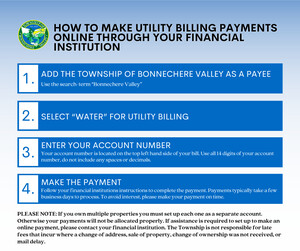
Did you know that you can make your utility billing payments online through your financial institution?
These four steps will allow you to make your payment with your online banking.
1. Add the Township of Bonnechere Valley as a Payee - use the search term "Bonnechere Valley"
2. Select "Water" for utility billing
3. Enter your account number - Your account number is located on the top left hand side of your bill. Use all 14 digits of your account number, do not include any spaces or decimals.
4. Make the payment - Follow your financial institutions instructions to complete the payment. Payments typically take a few business days to process. To avoid interest, please make your payment on time.
PLEASE NOTE: If you own multiple properties you must set up each one as a separate account. Otherwise your payments will not be allocated properly. If assistance is required setting up your account to make an online payment, please contact your financial institution. The Township is not responsible for late fees that incur where a change of address, sale of property, change of ownership was not received, or mail delay.
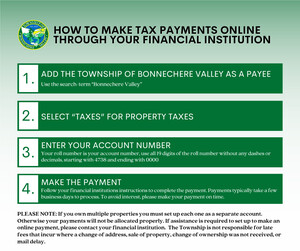
Did you know that you can make your tax payments online through your financial institution?
These four steps will allow you to make your payment with your online banking.
1. Add the Township of Bonnechere Valley as a Payee - use the search term "Bonnechere Valley"
2. Select "Taxes" for property taxes
3. Enter your account number - Your roll number is the account number, use all 19 digits of the roll number without any spaces or decimals, starting with 4738 and ending with 0000.
4. Make the payment - Follow your financial institutions instructions to complete the payment. Payments typically take a few business days to process. To avoid interest, please make your payment on time.
PLEASE NOTE: If you own multiple properties you must set up each one as a separate account. Otherwise your payments will not be allocated properly. If assistance is required setting up your account to make an online payment, please contact your financial institution. The Township is not responsible for late fees that incur where a change of address, sale of property, change of ownership was not received, or mail delay.
How much of the year does the interim tax cover?
The interim tax bill is a payment on account towards your annual taxes. It does not cover a specific period of time. This interim payment will be deducted from your final bill, which covers the calendar year when it is issued later.

